
Udemy - Online Courses
UdemyEducation
4.415.11K Reviews
- Version
- 9.70.0
- Installs
- 10.00M
- Age Rating
- Everyone
Screenshots

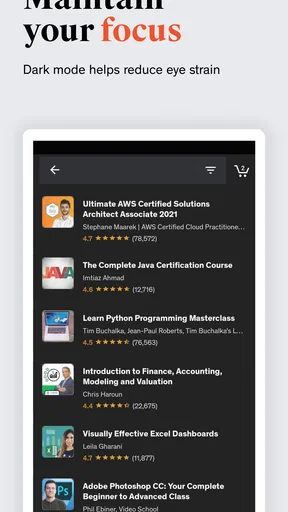
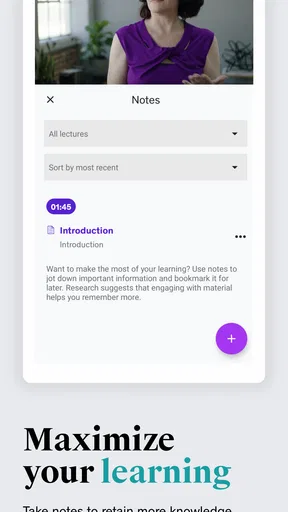

Our Review of Udemy - Online Courses
 Analysis by Appyee
I find Udemy most useful when I have a specific skill in mind and want to learn in short sessions rather than commit to a fixed class schedule. It is an education app from Udemy, and its course library covers everything from coding and AI to practical interests outside work. The app is free to install, but individual courses and in-app purchases can cost money, so I treat browsing and buying as two separate decisions.
Exploring a World of Knowledge
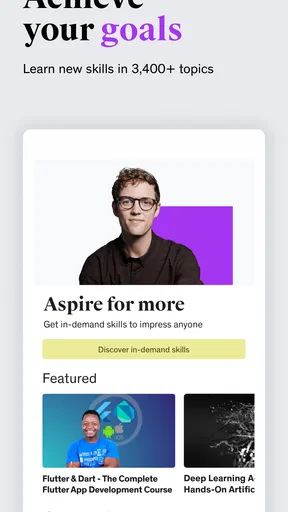
First things first, the sheer variety on Udemy is mind-blowing. From coding and cooking to photography and personal development, it's like having a smorgasbord of courses at your fingertips. I found myself browsing categories I never even thought I'd be interested in, just because they were there!
One aspect I really appreciate is how user-friendly the app is. It's smooth sailing from the moment you log in. The search function is super intuitive, and you can filter courses by rating, duration, and price, which makes it easy to find exactly what you're looking for. The current version is 9.57.2, and it requires Android 8.0 or later. The app is rated for everyone, though some individual course subjects may be more suitable for particular ages or skill levels.
Finding the Right Course
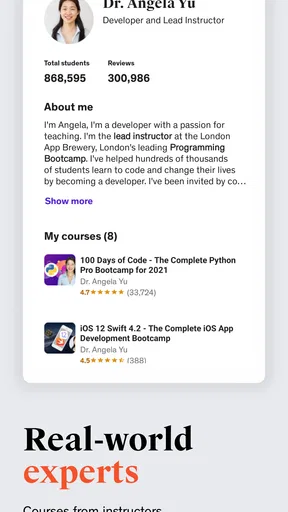
With so many options, finding the right course might seem daunting, but Udemy's got you covered. You can check out user reviews, take a peek at the course content, and even watch a preview video before committing. This transparency really helped me make informed choices about where to invest my time and money.
Plus, the courses often go on sale, so if you're patient, you can snag some great deals. I picked up a Python course for under $15, which is a steal considering the quality of the content. Prices can change, so I would check the course page at the time I plan to buy rather than assume that a course I saw earlier will still cost the same.
Learning On-the-Go
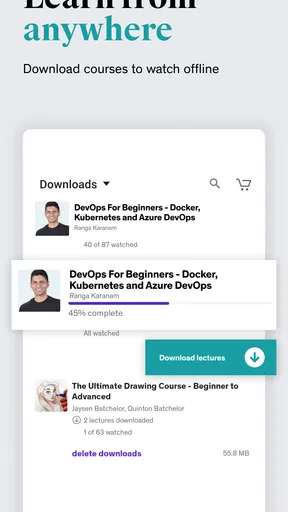
The beauty of Udemy is its flexibility. Whether you're on your morning commute, chilling at home, or sitting in a café, you can access your courses anywhere. The offline feature is a lifesaver, especially when you're in a Wi-Fi dead zone. Just download the lessons you need, and you're all set!
The video lectures are generally high-quality, with clear audio and visuals. Some instructors even include quizzes and assignments, which I found really helpful for testing my understanding of the material.
Community and Support
Now, let's talk about community. Each course has a Q&A section where you can interact with fellow students and instructors. This feature creates a sense of community, and it's reassuring to know you can reach out if you hit a stumbling block.
Customer support is pretty solid too. I had a minor issue with a course not loading, and the support team was swift and helpful in resolving it. It's good to know that help is just a click away if you need it.
Room for Improvement
Of course, nothing is perfect. One thing I'd love to see improved is the consistency in course quality. While many instructors are fantastic, there are a few courses that could use a bit more polish. Reading reviews and watching previews definitely helps in avoiding any duds.
Also, the app sometimes feels a bit cluttered with promotional banners and pop-ups. It would be nice to have a cleaner interface, but it's a minor gripe in the grand scheme of things.
Putting Lessons to Work
The best way I have found to get value from a course is to decide what I want to be able to do by the end, then choose a lesson that supports that goal. For instance, if I want to make a simple change to a website, I would look for a coding course that shows the relevant workflow, not just one with an impressive title. The preview can help me judge the instructor’s pace and whether the explanation feels clear before I spend time or money.
I also like to make a small practice task part of the learning session. After a video, I pause and try the technique in a real project, or jot down the steps I would need to repeat later. That makes a lecture more useful than letting a playlist run in the background. Where a course includes quizzes or assignments, I use them to check whether I can apply the idea rather than merely recognize it.
How I Manage Connectivity
Streaming lessons makes a steady connection important, especially when I am trying to follow a demonstration and do not want playback interruptions. At home or on reliable Wi-Fi, I can browse, preview, and study without much planning. On a commute or in a building with patchy reception, I avoid leaving a lesson choice until the last minute. I open the course beforehand and make sure I know what I intend to study.
The earlier review describes downloading lessons for offline use. That can help when a connection is unavailable, but I still plan around access rather than assuming every part of browsing, course discussion, or account activity will work without a network. A practical routine is to pick the lesson while connected, then return to the course when I have a stronger signal if playback or other app activity falters.
If a video fails to load, I first check whether other online activity is working, then retry when the connection is steadier. I would avoid repeatedly tapping through several lessons on a weak signal: it is easy to lose track of where I meant to resume. Keeping a note of the lecture or topic I was working on gives me a simple recovery point, particularly when studying in brief gaps during the day.
A Better Fit for Some Learners
This app suits self-directed learners who can choose a target, compare instructors, and keep themselves moving without a teacher setting deadlines. It is especially handy when a work task or personal project raises a question that needs a focused explanation. A person learning a new tool can use a course as a companion while practicing on a computer, rather than expecting a phone screen alone to replace hands-on work.
It is less convincing if you need a formal classroom routine, close personal supervision, or a credential whose acceptance matters for a regulated job. In those situations, a structured school program or a course with clearly defined external recognition may be a better fit. The marketplace format also means that two courses on the same subject can differ in depth and teaching style, so I would not buy based on topic alone.
Where It Sits Among Learning Options
Compared with short tutorial videos scattered across the web, Udemy’s courses give me a more organized path through a subject, with lessons grouped together and sometimes supported by practice material. That structure is useful when I want to follow a sequence instead of stitching together advice from unrelated clips. The trade-off is that a long course can include sections I do not need, so checking the curriculum before starting saves time.
Compared with a live class, the app gives me more control over when to study, but less immediate interaction. The Q&A area can be useful when a question is specific to a course, yet I would not rely on it as a substitute for real-time coaching when I need rapid feedback. For a narrow question, a quick reference or a targeted tutorial may be faster; for a skill that benefits from a guided progression, a well-chosen course has the advantage.
Costs, Choice, and Pace
There is no charge to install the app, while in-app purchases range from $0.99 to $239.99 per item. That broad range makes it worth checking exactly what is being purchased and whether the course matches my goal. The app has a 4.4 average from around 503,000 ratings, which gives a sense of its reach, but a high overall score cannot tell me whether a particular instructor explains a subject in a way that works for me.
Udemy has more than 10 million installs, and its scale is reflected in the amount of choice, not a guarantee that every course will be a fit. I use ratings as a first filter, then look at the course outline, preview, and recent learner comments where available. The company behind the app is Udemy, and it has been available since January 14, 2014. For me, those background details matter less than whether the course gives a clear path and enough substance for the time I plan to invest.
Final Thoughts
All in all, Udemy is a fantastic resource for anyone looking to learn something new. Its vast selection, user-friendly design, and flexibility make it a standout in the world of online education. Whether you're a lifelong learner or just looking to pick up a new hobby, this app has something for everyone.
So, if you're ready to dive into a world of knowledge, give Udemy a try. You might just find your next passion or skill waiting for you! My main advice is to choose a course with a practical goal in mind, check its preview before buying, and plan around your connection if you expect to study away from reliable Wi-Fi. If you prefer a fixed schedule or need an instructor to guide every step, another learning format may suit you better; if you are comfortable learning independently, this app makes it easy to fit a lesson into ordinary days.
Verdict
Strengths of Udemy - Online Courses
- Wide variety of courses available.
- Affordable pricing with frequent discounts.
- Lifetime access to purchased courses.
- Courses available in multiple languages.
- User-friendly interface and easy navigation.
Limitations of Udemy - Online Courses
- Limited interaction with instructors.
- Variable quality across courses.
- Certificates not always widely recognized.
- No free trial for paid courses.
- Some courses lack updated content.
Similar Picks in This Category
View All
Duolingo: Language Lessons
Duolingo4.7

Google Classroom
Google LLC2.8

Unacademy: Learn & Crack Exams
Unacademy3.2

Bible App for Kids
Life.Church4.4

Cake - Learn English & Korean
Cake Corp.4.7

Brainly: AI Homework Helper
Brainly4.5
Frequently Asked Questions
What types of courses are available on Udemy?
Udemy offers a vast range of courses across numerous categories, including technology, business, personal development, and arts. Whether you're looking to learn programming, enhance your leadership skills, or explore photography, Udemy provides courses for various skill levels, from beginner to advanced, ensuring a suitable learning path for everyone.
Is Udemy free to use?
Udemy offers both free and paid courses. While many introductory courses are available for free, more comprehensive courses typically require a purchase. Prices can vary significantly, but Udemy often runs promotions and discounts. It's important to check each course's details to understand the cost and what is included.
Can I access Udemy courses offline?
Yes, Udemy allows offline access to courses through its mobile app. By downloading the course content in advance, you can continue learning without an internet connection. This feature is particularly useful for those who want to study on-the-go or in areas with limited connectivity.
Do Udemy courses come with a certificate?
Upon completion of a paid course, Udemy provides a certificate of completion. While these certificates are a great way to showcase your learning, they are not officially accredited. It's a good idea to check if the certificate meets your needs, especially if you're using it for professional purposes.
How do I know if a Udemy course is right for me?
Udemy provides detailed course descriptions, previews, and user reviews to help you make informed decisions. The preview allows you to watch some of the course content before purchasing. Additionally, reading through user reviews and checking the course ratings can provide insight into the course's quality and relevance.
